


Baptist Health MyHealth
4.6426.00 Reviews
App Specs
- Version
- 11.8.3
- Updated On
- License
- Free
- Downloads
- 100,000+
- Developer
- Baptist Health IT
- Categories
- Medical
- Platform
- Android
Screenshots
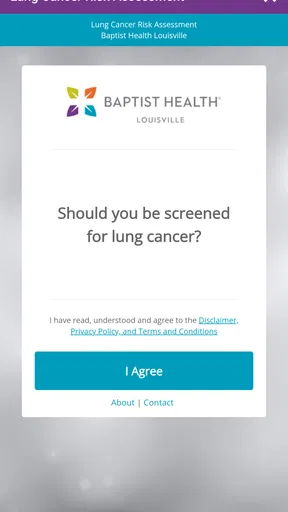
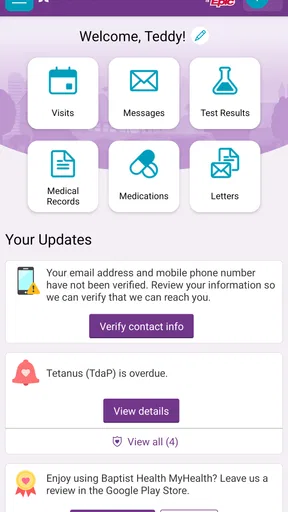
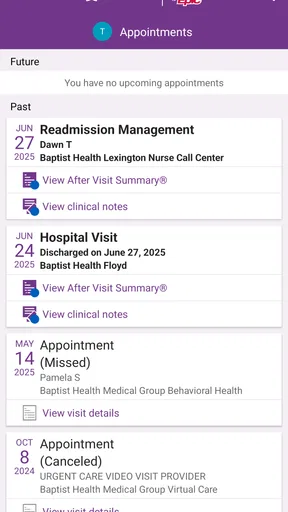
 Analysis by AppCompare
Managing healthcare is rarely difficult because of one huge task. It is difficult because small tasks are scattered: finding the right clinician, remembering where to look for records, arranging an appointment, and keeping track of what needs attention next. Baptist Health MyHealth is designed to bring those parts into one mobile starting point. I found its strongest idea to be simple rather than flashy: it gives patients a direct way to organize their relationship with Baptist Health without relying on a collection of unrelated tools.
That focus matters. This is a free medical app from Baptist Health IT, available to users of all ages under its Everyone content rating. It has reached over one hundred thousand installs and holds an average rating of 4.6 from around two thousand ratings, which suggests that many people find the basic experience dependable. I would not treat those numbers as a guarantee of a perfect visit, but they do make the app worth considering if Baptist Health is already part of your care.
One mobile doorway into Baptist Health care
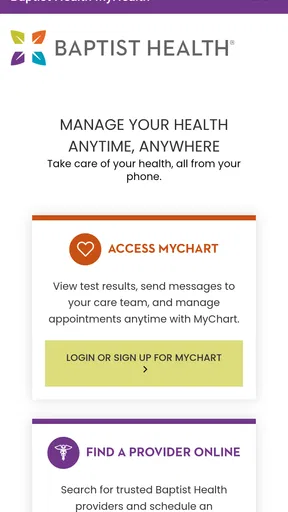
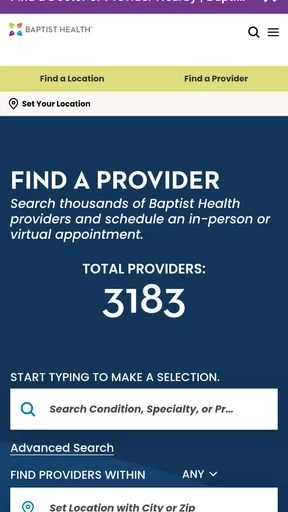
The central capability is the combination of MyChart access and provider discovery. Instead of treating your online medical account and the search for a clinician as completely separate jobs, the app places both within the same healthcare-oriented environment. That is useful because the person searching for a provider is often the same person who later needs to review care information or manage the next step.
In my experience, this kind of integration is more valuable than a long list of rarely used tools. A general health app can be polished, but it may not connect meaningfully to the local health system where your appointments and records actually exist. Baptist Health MyHealth is narrower, yet that narrowness is also its advantage. It is built around Baptist Health rather than trying to be a universal medical organizer.
The app is best understood as a practical access point, not as a replacement for a clinician. It can help you reach the online side of care, but it does not turn a phone into a diagnostic service. That distinction is important when deciding whether it belongs on your device. If you want a way to work with Baptist Health online, it makes sense. If you want independent medical advice, symptom interpretation, or a complete record of care from multiple unrelated systems, another solution may suit you better.
What the MyChart connection changes
MyChart access is the feature that gives the app its everyday usefulness. A patient portal is most helpful when it reduces the number of places you need to remember. Opening one app to reach your Baptist Health online account can be less frustrating than searching through a browser, trying to recall a saved page, or switching between a health-system website and a separate provider directory.
The real benefit is continuity. A provider search is not just a directory task; it is often the beginning of a longer process. You may be looking for a clinician because your current care needs have changed, because a family member needs help, or because you need a specialist. Once that decision is made, having the same app serve as the route into MyChart keeps the administrative side of care closer together.
Worth Reading Before You Choose

EA SPORTS FC Mobile 26 Is a Bigger Football Game, but It Takes Time

Flipboard Shows What News Apps Must Do Beyond the Feed

Switching to Android Auto Means Rethinking Your Driving Routine

Google Calendar Makes a Crowded Week Easier to Manage

Ludo King Makes the Most of the Minutes Between Plans

Baby Panda World Brings Quick Play to Modern Phones, but Its Game Library Feels Busy
I also like the fact that this approach respects how people actually handle healthcare. Most patients do not think in terms of separate technical systems. They think, “I need to find the right person,” or “I need to get into my health account.” The app’s value comes from translating those ordinary goals into a single mobile experience.
Finding providers without treating search as the whole answer
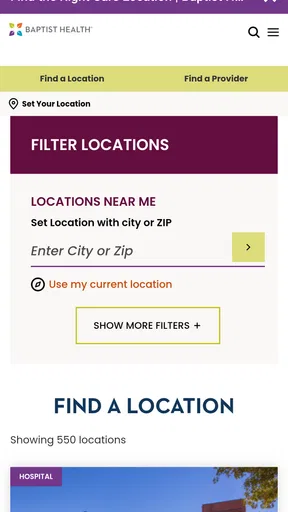
The provider-finding side is useful, but I would approach it with a little care. A directory can help you discover options, yet a search result is not the same as a recommendation from someone who knows your history. I would use the app to create a shortlist, then pay attention to the practical details that matter to me: whether the clinician appears appropriate for my need, whether the location is manageable, and whether the provider fits the kind of care I am seeking.
This is one of the less obvious ways to get more from the app. Do not open the directory only when you are already stressed or unwell. If you know that you may need a new type of care, browsing ahead of time can make the eventual decision calmer. Save the names or details you need in your own notes if that helps, because a provider search is most useful when it leads to a considered choice rather than a rushed tap.
At the same time, I would not assume that a directory alone answers every question. For a complicated condition, a referral, insurance concern, or urgent need, I would still confirm the details through the appropriate Baptist Health channel or directly with the office. The app can shorten the path to information, but it should not encourage you to skip the human conversation when the situation calls for it.
How it fits into an ordinary healthcare day
Imagine that I realize I need to arrange care for a persistent problem, but I do not know which Baptist Health clinician is the right starting point. I can use the app to look through the available provider information, narrow my thinking, and then move toward the MyChart side of the experience. Later, when I want to return to my online healthcare account, I do not need to remember which separate route I used during the search.
That scenario sounds modest, but healthcare administration is full of modest tasks that become exhausting when they are disconnected. The app is most effective when I use it as a repeated entry point rather than a one-time download. I would open it before a planned care interaction, use it to orient myself, and then return after the visit when I need to continue managing the online part of that relationship.
There is also a useful preparation habit here. Before contacting a provider, I would write down the reason for the visit, the questions I want answered, and any timing limitations. The app can help me reach the relevant Baptist Health service, but preparation prevents the common mistake of finding a provider without being ready to explain what I need. The technology removes some friction; it does not replace personal organization.
Why a dedicated health-system app can beat a browser shortcut
A browser shortcut can be enough for someone who visits one portal occasionally. In that case, installing a dedicated app may feel unnecessary. The difference becomes clearer when I need both provider discovery and MyChart access. The app gives those related tasks a shared home, which is easier to remember than a loose collection of bookmarks.
Compared with a general wellness app, this is a different kind of tool. Wellness apps often focus on habits, exercise, food, or broad educational content. Baptist Health MyHealth is more administrative and system-specific. I would choose it when my goal is to interact with Baptist Health, not when I am trying to track every aspect of my health across different providers.
Compared with calling a clinic, the app can be more convenient for initial research because I can look at provider information when it suits me. A phone call remains better when I have a nuanced question, need clarification, or am unsure which department can help. The smartest approach is not to treat the app and staff as competitors. I would use the app for orientation and routine access, then call when the situation needs a person.
A practical workflow for patients and caregivers
For my own use, I would keep the workflow deliberately small. First, I would open the app when I need to identify a Baptist Health provider or reach MyChart. Second, I would pause before choosing a provider and define the exact kind of care I need. Third, I would use the online account as the next step rather than starting over elsewhere. That sequence prevents the app from becoming just another icon that I open without a purpose.
Caregivers may find this structure particularly helpful, although the experience still depends on using the correct account and access arrangement. I would not assume that one person’s login automatically gives another person appropriate access to health information. When managing care for a child, parent, or partner, I would follow Baptist Health’s own account and authorization process instead of sharing credentials casually.
Another useful habit is to check the app before leaving for a planned healthcare interaction, rather than waiting until I am in a parking lot or a waiting room. That gives me time to deal with sign-in friction, confirm that I am using the intended account, and gather questions. A medical app is most helpful when it supports preparation, not when it becomes another source of last-minute stress.
The tradeoffs I noticed
The biggest limitation is the app’s dependence on the Baptist Health ecosystem. If most of my care happens outside Baptist Health, its usefulness drops quickly. I might still appreciate a provider directory, but I would not expect this app to become a complete command center for records, appointments, and communication across unrelated health systems.
That system-specific design also creates a choice for people who already use a browser comfortably. If I rarely need Baptist Health services, a mobile app may add little beyond a saved website. The strongest case for installing it is repeated use: I expect to search for Baptist Health providers, return to MyChart, or manage healthcare online often enough that a dedicated entry point saves me time.
There is a second tradeoff between convenience and attention. Bringing healthcare tasks into a phone makes access easier, but it can also encourage rushed decisions. A quick provider search may feel productive even when I have not considered whether that clinician fits my needs. I would use the app to gather options, not to outsource judgment. The more important the decision, the more I would verify the details through the appropriate care team.
Privacy and account security deserve ordinary, practical care. Because this is a medical app, I would use a device lock, avoid signing in on a shared phone, and be careful when handling health information in public. Those are not special features of the app; they are sensible habits whenever a phone provides access to personal healthcare information.
What the version and device requirement mean for installation
The current version is 11.8.3, and the app requires operating-system version 11 or later. For someone with a reasonably current device, that should make the installation decision straightforward. For someone using an older phone, the operating-system requirement is the first thing to check before planning to rely on it.
I would also make sure the phone has enough working space and a stable connection before setting up a medical app. That is especially sensible when I need access at a stressful moment. Although the app is free, the absence of a purchase price does not remove the need for a compatible device and an active Baptist Health relationship for the parts of the experience tied to patient care.
The Everyone age rating makes the app broadly approachable, but age suitability should not be confused with account suitability. A child, adult, and caregiver may have different healthcare access needs. I would use the account arrangement intended for the person receiving care and avoid treating the age label as permission to share private information freely.
When I would choose something else
I would skip this app if I wanted a cross-provider health organizer. Someone who receives care from several unrelated networks may be better served by a broader personal health strategy, such as using each provider’s official portal alongside a secure method for keeping personal notes. This app’s strength is its connection to Baptist Health, so that same connection limits its reach outside the system.
I would also choose a phone call first for urgent symptoms, confusing medical instructions, or problems that need immediate human judgment. A portal and provider directory are not substitutes for emergency services or professional triage. The app is a tool for access and organization, not a place to wait for an answer when time matters.
Finally, a person who dislikes managing apps may not gain much from installing it. If a browser shortcut already gives reliable access and provider searches are rare, the dedicated app could feel like extra maintenance. I see the greatest benefit for people who want a familiar Baptist Health starting point and expect to return to it repeatedly.
Who gets the most value from Baptist Health MyHealth
I would recommend it most strongly to current Baptist Health patients who want their online healthcare tasks gathered in one mobile location. It is also a sensible choice for people who are beginning to look for a Baptist Health provider and want the search process to sit near their MyChart access. The app’s usefulness grows with repetition, so regular patients are more likely to notice the convenience than occasional visitors.
It can also help organized caregivers who need a clear route into the appropriate Baptist Health account or provider information. I would still encourage careful account management and direct confirmation of access arrangements, but the app offers a more focused starting point than searching the wider web every time a healthcare task appears.
People who prefer phone conversations are not excluded. I see the app as a preparation tool for them: use it to understand which provider or Baptist Health service may be relevant, then call with a more precise question. That combination can make the conversation shorter and more useful than calling without any idea where to begin.
My final view is favorable, with a clear boundary. Baptist Health MyHealth is not trying to be every kind of health app, and I would not judge it by that standard. Its real strength is giving Baptist Health patients a focused mobile doorway to MyChart and provider discovery. The free price, broad Everyone rating, and mature 11.8.3 release make it easy to try for compatible devices, while the 100K-plus install base and 4.6 average show that it has found a substantial audience.
The key question is not whether this is the most complete medical app; it is whether Baptist Health is central to your care. If the answer is yes, I think the app can reduce the small but persistent friction of finding providers and reaching your online healthcare account. If your care is spread across many systems or you need urgent medical guidance, I would choose a broader or more immediate option instead. Used for what it actually does, it is a practical companion rather than an overpromising replacement for the healthcare professionals behind it.
Pros
- Secure access to appointments
- test results
- prescriptions
- and health records.
- Virtual visits make it easier to consult eligible providers from home.
- Prescription refill requests and medication details are conveniently centralized.
- Appointment reminders can help reduce missed visits and scheduling confusion.
- Messages provide a direct channel for communicating with participating care teams.
Cons
- Many features require care through Baptist Health or a supported affiliated provider.
- Some results and records may appear only after processing or provider release.
- The app’s usefulness depends on your location and available Baptist Health services.
- Video visits require a reliable connection
- camera
- microphone
- and compatible device.
- Users may need separate services for billing
- insurance
- or non-Baptist providers.
FAQs for Baptist Health MyHealth
What is Baptist Health MyHealth used for?
Baptist Health MyHealth is a patient-focused healthcare app that helps users manage parts of their relationship with Baptist Health. Depending on the services available in your region, you may be able to view medical information, review test results, manage appointments, communicate with care teams, request prescription refills, and access billing or health-management tools from a mobile device.
Do I need to be a Baptist Health patient to use the app?
The app is primarily intended for patients who receive care through a participating Baptist Health organization. You generally need an active patient portal account or another approved form of registration to access personal health information. Some features may be available without signing in, but access can vary by location, age, healthcare provider, and the specific Baptist Health system supporting your account.
How do I sign in to Baptist Health MyHealth if I already have an account?
After installing the app, open it and select the sign-in option for your Baptist Health patient portal. Enter the username and password associated with your account, then complete any identity verification or two-factor authentication requested. If you have forgotten your credentials, use the recovery links in the app or contact Baptist Health support rather than creating a duplicate account.
Can I schedule appointments and communicate with my doctor through the app?
Many users can use Baptist Health MyHealth to request or manage appointments, depending on the provider, department, and type of visit. The app may also offer secure messaging with eligible care teams, allowing you to ask non-emergency questions and receive responses within the health system. Availability, response times, and appointment options can differ between locations and specialties.
Is Baptist Health MyHealth safe for viewing personal medical information?
Baptist Health MyHealth is designed to provide secure access to personal healthcare information through account authentication and protected communication features. You should still use a strong, unique password, enable available security verification, keep your phone updated, and avoid signing in on shared or public devices. The app is not intended for emergencies; call emergency services when immediate medical attention is needed.


